⭐ 4.9/5 Rating
Based on 6,000+ student reviews
🎓 10,000+ Enrolled
Students worldwide
👨🏫 10+ Years Experience
Industry expert trainers
📈 90% Placement Success
Students placed in top companies
📅 Course Duration
5 Months
💰 Course Price
₹ 25000
🎥 Watch Demo
📄 Course Content
Python Full Stack Training In Chennai
The demand for skilled software developers continues to grow steadily across industries. Organizations today are looking for professionals who can manage both front-end and back-end development efficiently. This shift has made full stack development one of the most sought-after career paths.
Why Is Python Full Stack Training in Chennai the Best Career Choice?
In this context, Python Full Stack Training in Chennai has gained significant attention among students and working professionals. With Chennai emerging as a major IT hub, learning full stack development here provides both technical exposure and access to better career opportunities.
Python Full Stack Training In Chennai
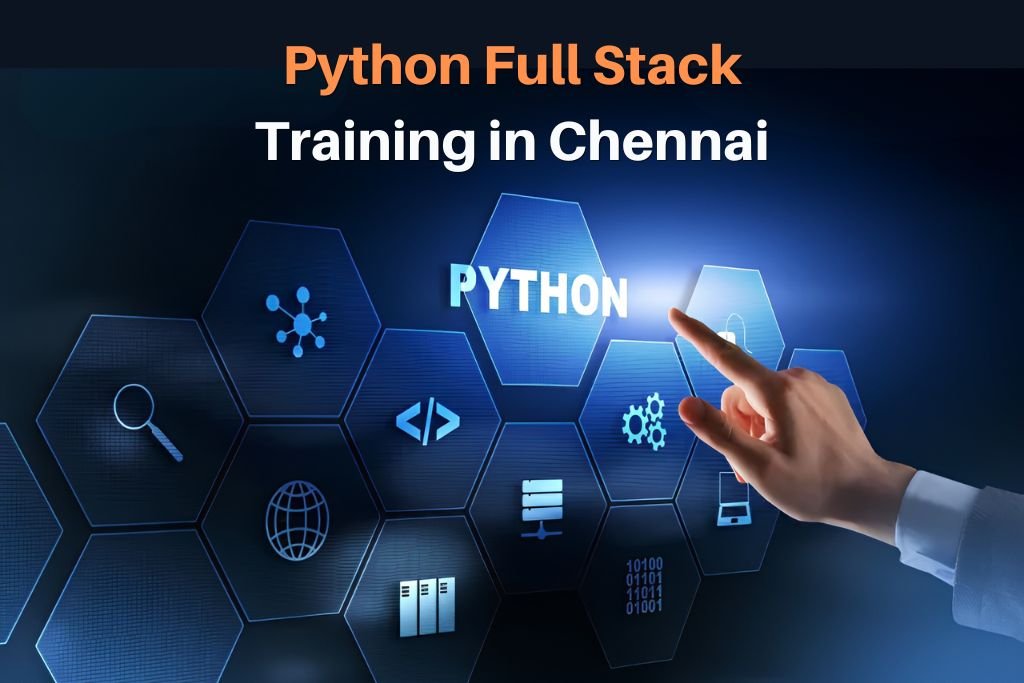
Python Full Stack Training in Chennai focuses on building complete web development skills rather than limiting learners to a single technology. The training typically covers both front-end and back-end development, enabling individuals to design, develop, and deploy web applications independently.
A standard Python Full Stack Course In Chennai includes the following:
- Front-end technologies such as HTML, CSS, and JavaScript
- Back-end development using Python
- Frameworks like Django or Flask
- Database management systems
- Basic deployment and version control concepts
Additionally, many learners now prefer flexible learning modes. As a result, Python Full Stack Online Training In Chennai and Python Full Stack Online Course In Chennai have become popular choices, especially for working professionals.
Python Full Stack Training In Chennai: Course Benefits
1. High Industry Demand
Full stack developers are in high demand because they can handle multiple aspects of application development. Completing Python Full Stack Training In Chennai increases employability across startups, IT firms, and product-based companies.
2. Comprehensive Skill Development
A Python Full Stack Course In Chennai equips learners with both front-end and back-end knowledge. This combination allows professionals to work on complete projects rather than being restricted to a single layer of development.
3. Easy to Learn and Implement
Python is known for its simplicity and readability. This makes Python Full Stack Online Training In Chennai suitable even for beginners or individuals transitioning from non-technical backgrounds.
4. Practical Exposure Through Projects
Most training programs emphasize hands-on learning. While pursuing the course, learners work on real-time projects, which helps in understanding practical implementation and problem-solving.
5. Strong Career Growth Opportunities
Professionals with full stack skills often experience better career growth. Completing a Python Full Stack Online Course in Chennai can open opportunities in roles such as web developer, backend developer, and software engineer.
Python Full Stack Training In Chennai with Version IT
Choosing the right training institute plays a crucial role in skill development. The training with Version IT is structured to provide both conceptual understanding and practical experience.
Complete Training Overview:
The course is designed to cover all essential components of full stack development in a structured manner. It begins with core programming concepts and gradually advances toward frameworks, databases, and deployment techniques.
Both the classroom and Python full stack online training in Chennai follow the same curriculum to ensure consistency in learning outcomes.
Job-Oriented Training and Live Project Works
The training approach is aligned with industry requirements. During the Python Full Stack Course In Chennai, learners are introduced to real-time project scenarios, coding practices, and debugging techniques.
This practical exposure helps in building confidence and prepares learners for real-world challenges.
Career Guidance & Placement Support
In addition to technical training, Python Full Stack Training in Chennai with Version IT includes career support services.
This structured support helps learners transition from training to employment more effectively.
How to Enroll in a Python Full Stack Course In Chennai?
Enrolling in Python Full Stack Training in Chennai with Version IT is a straightforward process.
Interested candidates can begin by reviewing course details, including syllabus, duration, and available batch timings. There are multiple timing options available for the Python Full Stack Online Course in Chennai.
After selecting a suitable batch, candidates can proceed with registration. Guidance is provided throughout the enrollment process to help individuals choose the right learning path based on their background and career goals.
Conclusion
Python Full Stack Training in Chennai offers a strong foundation for individuals aiming to build a career in software development. With comprehensive skill coverage, practical learning, and growing industry demand, it remains a reliable career option.
Whether opting for classroom training or Python Full Stack online training in Chennai, consistent learning and hands-on practice are key to success. With the right training approach, learners can develop the skills required to succeed in today’s competitive IT industry.
Topics You will Learn
Introduction to Web Technology
- What is web?
- What is network?
- What is internet?
- What is Web development?
- What is browser?
- What is web-server?
- What is http?
- What is http?
Web Technology Concepts
- What is the use of http?
- What is html?
- What is website?
- What is web-page?
- Structure of web
- Definition of all the points
- Install of Editors
- Install of Editors
- How to write program using editors
- Introduction
- Structure of html
- What is tag?
- Types of tags
- Attributes
- All tag attributes
- How to apply all the attributes in web-pages
Table
- How to create table in HTML
- Attributes of tables
List
- How to create list
- Attributes of list
Form
- What is form
- How to create forms using HTML
- How to create log-in page
- How to create registration page using form
- Attributes of form
Introduction
- What is CSS?
- What is the use of CSS?
- Types of CSS
- How to call CSS inside HTML pages
Selectors
- What is selector?
- Types of selectors
- How to apply selector
Combinators
- What is combinators?
- Types of combinators
- How it is related to selectors
Pseudo-class & Pseudo-elements
- What is pseudo-class?
- What are pseudo-elements
- Types of pseudo-class
- Types of pseudo-elements
Introduction
- What is JavaScript?
- What is the difference between Java & JavaScript
- Application of JavaScript
- Advantages & Disadvantages of JavaScript
- Types of JavaScript
- Datatypes in JavaScript
- Looping Statement
- Conditional Statement
Function & Arrays
- What is function?
- What is array?
- Types of function
- Methods of array
String & Object
- What is string?
- Methods of string
- What is object?
- How to create object in JS
Date & Math
- What is date method?
- What is math method?
- Methods of date & math j query
- Introduction
- jQuery selector
- jQuery event methods
- Hide and show effects
Module 1: Introduction / Demo
- How is Python? (History)
- What is Python?
- Why is Python?
- Where is Python used?
Module 2: Development Setup
- Install Python
- Install Git (Django)
- Install PyCharm (Django)
- Create GitHub Repository (Django)
- Virtual Environment Setup
Module 3: Variables and Datatypes
- Python Fundamentals
- Variables
- Data Types: String, Integer, Boolean, Float
- None Type
- Operators
- Data Structures: List, Dictionary, Tuple, Array, Set
Module 4: Statements
- Conditional Statements
- Looping Statements
- Nested Loops
- Control Looping
- Break, Continue, Pass
Module 5: Numbers & Arrays in Python
- Numbers (Math Module & Random Module)
- Array Module
Module 6: Collections (Data Structures in Python)
- String in Python
- List in Python
- Tuple in Python
- Set in Python
- Frozen Set in Python
- Dictionary in Python
Module 7: User Defined Functions
- Types of Functions (With/Without Parameters & Return Values)
- Unnamed and Named Parameters
- Creating User Defined Functions
- Anonymous Lambda Functions
Module 8: Date & Time in Python
- Time Module
- Calendar Module
- Datetime Module
Module 9: Modules & Packages
- User-defined Modules
- User-defined Packages
Module 10: Generators & Decorators
- Iterator
- Generator
- Nested Functions
- Decorators
Module II: OOPs with Python (***)
- What is OOPs
- OOPs implemented in python
- Inheritance and Polymorphism
- Operator and Method overriding
- Create Class and Core Python Object
- Class Attributes
- OOPS Abstraction (***)
- Abstract classes & Interfaces (***)
- Constructors & Destructors (***)
- Garbage Collection (***)
- Polymorphism Ducktyping (***)
- Operator Overloading with magic-methods (***)
- Inheritance super() method (***)
- Inner- classes (***)
- Types of variables & Methods in python class (***)
- Self vs cls variables in python class (***)
Module 12: Exception Handling and Built in Functions
- Basic Exception Handing
- Try…Except…Else…Finally
- Debugging Errors
- Built in Functions: String Related Functions, Integer Related Functions,
Data Structure Related Functions, Common Functions - Built in Modules: OS related Module, Mathematical Modules
Module 13: File Systems and File Handling
- Write to a File
- Read from a File
- Check File and Copy File
- Pickle Module
- Working with Directories
Module 14: Threading and Multithreading
- What is threading
- What is multithreading?
- Different ways of Creating Threads
- Thread synchronization
- Locks and Semaphores
- Thread Communication
Module 15: Data Operations using Python (PDBC) (***)
- Create a database
- Working with MYSQL Database or Oracle Database
- Python Database Connection
- PDBC Steps
- PDBC Modules & its Methods
- Create a tables
- CRUD operations – Create, Read, Update, Delete
Module 16: Regular Expressions
- Regular Expression Module
- Regular Expression Methods
- Quantifiers
- Special Characters
Module 17: Python Web Frameworks
- What is Framework?
- Full Stack Framework?
- Django Overview
- MVT Architecture of Django
Module 18: Django Web Application Development
- Introduction to Web development and Django
- Django & PyCharm IDE Installation and
- Development of First Web Application
- Working with PyCharm IDE
- Downloading, Installing, First-Project in IDE
Module 19: Django HTML
- Django Templates and Static Files
Module 20: Django Model classes (Database)
- Working with Models and Database
Module 21: Django Forms & Validations
- Working with Django Forms
- Working with Django Model Forms
- Working with Advanced Template Features
Module 22: Django Sessions & User Auths
- Session Management
- User Authentication and Authorization
Module 23: Django CRUD Operations
- Class Based Views and CRUD Operations by using by using both CBVs and FBVs
Module 24: Django ORM (Object Relation Mapping)
- Django ORM (MYSQL Database or SQLite3 or Oracle DB)
- Working with Advanced Models Concepts
Module 25: Django Middleware & Live Project Development
- Working with Django Middleware
- Deployment of our application in the Live Environment
- Real Time Project: Web Application Development
Module 26: Django Admin and Views
- Overview of default Django Admin site
- Add models on Admin Page
- User permissions and Groups
- Overview of Django Views
Modules 27: Data Analysis – Numpy (Datascience)
- Introduction to Numpy
- Numpy Arrays
- Numpy Array Indexing
- Numpy Operations
- Numpy Exercises
Module 28: Data Analysis – Pandas (Datascience)
- Introduction to Pandas
- Series
- DataFrames
- Missing data and Groupby
- Merging Joining and Concatenation
- Operations
- Data Input and Output
- Pandas Exercises
Module 29: Data Visualization – Matplotlib (Datascience)
- Introduction to Data Visualization
- Introduction to Matplotlib
- Matplotlib plots Methods – functional and object Oriented
- subplots
- Matplotlib Excercises
Module 30: Datascience Scikit/ Scipy
- Working with scikit or scipy modules
Module 31: Projects
- Website Project using python Django Framework
- Deploying Python Django on Live Server on Internet
(Live Website on Internet) www.versionit.co.in
FAQ's
The right choice depends on training quality, real-time project exposure, and support after completion.
No strict degree is required. Basic computer knowledge is enough to start, and skills matter more during job selection.
Yes, but it depends on your skill level. Completing the course is one part; building projects and understanding concepts clearly play a bigger role during interviews.
Many freshers choose it as a starting point because Python is easier to learn, and the course covers both front-end and back-end basics.
It usually includes HTML, CSS, JavaScript, Python, frameworks like Django, and database concepts. Some courses also introduce deployment basics.
Enquiry Form
Trustindex verifies that the original source of the review is Google. Version IT is the perfect place for Python Training in Hyderabad. The trainers explain every concept step by step, making it easy even for beginners. The institute provides practical exercises, projects, and interview preparation. I learned a lot and gained confidence to work in Python-related roles. I’m thankful for the wonderful training experience here.Posted onTrustindex verifies that the original source of the review is Google. My experience with Version IT’s Python Training in Hyderabad was excellent. The trainers are very knowledgeable and supportive. They teach with real-time examples and ensure every student understands the topics well. The curriculum is industry-oriented with hands-on practice. Thanks to their guidance, I am confident in building Python applications. Version IT is highly recommended!Posted onTrustindex verifies that the original source of the review is Google. My experience at Version IT’s Azure Data Engineer Training in Hyderabad was truly outstanding. The trainers have deep industry expertise and focus on real-time implementation of Azure services. The curriculum includes data pipelines, cloud integration, and visualization tools. The institute also provides mock interviews and job assistance. Thanks to Version IT, I developed the skills required to excel as an Azure Data Engineer.Posted onTrustindex verifies that the original source of the review is Google. Version IT’s Python Full Stack Training in Hyderabad provided me with excellent technical knowledge and hands-on experience. The trainers are highly experienced and explain each concept clearly. The course covers Python, Django, React, and database integration in detail. The institute also provides real-time projects and placement support, helping me start my career confidently as a Full Stack Developer. Highly recommended!Posted onTrustindex verifies that the original source of the review is Google. Version IT offers outstanding Java Full Stack Training in Hyderabad. The faculty is very experienced and focuses on both theory and practical learning. The course structure is well-designed with hands-on projects that enhance coding and problem-solving skills. The environment is motivating, and the placement team is very supportive. I’m thankful to Version IT for shaping my development career.Posted onTrustindex verifies that the original source of the review is Google. My experience with Version IT’s Java Full Stack Training in Hyderabad was excellent. The trainers provide step-by-step guidance and explain real-world applications. The course covers all modern tools and technologies like Java, React, Spring Boot, and MySQL. Their mock interviews and career assistance helped me get job-ready. Version IT truly provides industry-oriented full-stack developer training.Posted onTrustindex verifies that the original source of the review is Google. Version IT’s Python Full Stack Training in Hyderabad exceeded my expectations. The trainers are experts who teach using real-time projects, ensuring deep understanding. The course focuses on both frontend and backend technologies like Python, Django, and JavaScript. Their career counseling and placement support were very helpful. I’m truly grateful to Version IT for shaping my path as a Full Stack Developer.Posted onTrustindex verifies that the original source of the review is Google. Version IT’s Azure Data Engineer Training in Hyderabad was an exceptional learning experience. The trainers are knowledgeable and provide in-depth understanding of Azure tools, data pipelines, and cloud storage. The course includes real-time projects and hands-on practice, which improved my technical skills. Thanks to Version IT’s expert guidance and placement support, I was able to confidently begin my career as a Data Engineer.Posted onTrustindex verifies that the original source of the review is Google. Version IT provides the best Azure Data Engineer Training in Hyderabad with a perfect blend of theory and practical sessions. The trainers focus on real-world cloud data engineering applications using Azure services. The learning environment is interactive, and the placement support is excellent. I’m grateful to Version IT for providing such comprehensive training that prepared me for a successful data engineering career.Posted onTrustindex verifies that the original source of the review is Google. Enrolling in Version IT’s Azure Data Engineer Training in Hyderabad was one of my best career decisions. The course is well-structured, covering data storage, transformation, and analytics using Azure tools. The trainers are patient and explain complex concepts in a simple manner. The institute’s placement support and hands-on sessions helped me become confident in real-time project handling. Highly recommend Version IT!
Our Popular Blogs