- Home
- Workday HCM Training in Hyderabad: A Complete Roadmap to Start Your Career
Workday HCM Training in Hyderabad: A Complete Roadmap to Start Your Career
- admin
Ask a few HR professionals or IT freshers in Hyderabad where they want their careers to go, and a good number will say the same thing: Workday. Companies are moving their people data out of spreadsheets and old HR tools into cloud systems, and Workday is one of the biggest names in that shift. The catch is that most beginners have no idea where to start. This roadmap breaks the journey into clear stages so you know what to learn, in what order, and why.
What Does a Workday HCM Consultant Actually Do?
HCM stands for Human Capital Management. In plain words, it is the system that holds everything about an employee: hiring, joining, job changes, pay, leave, performance and exit. A Workday HCM consultant helps a company set this up, fix problems and keep it running smoothly.
Some consultants configure the system. Others handle reports, security or integrations with other tools. Some work on support tickets after go-live. Whatever the route, the person who understands both HR processes and the Workday system is hard to replace, and that is why many learners choose Workday HCM Training in Hyderabad, where IT services companies and global capability centers keep hiring for these roles.
Stage 1: Understand HR Basics First
You do not need to be an HR manager, but you do need to speak the language. Spend a week or two on:
- The employee lifecycle, from hiring to exit
- Common terms such as position, job, grade, cost center and supervisor
- How leave, attendance and payroll work in general
- What a business process or an approval flow means
Many technical learners skip this and then struggle later because they cannot follow why a setting exists. Ten minutes spent understanding the business reason saves hours of confusion.
Stage 2: Learn the Workday Platform and Core HCM
This is the heart of the course. Core HCM is where every employee record lives, so nearly everything else depends on it. Focus on:
- Navigating the Workday interface and using search and tasks
- Supervisory organizations and how reporting lines are built
- Staffing models, positions and job profiles
- Hiring, onboarding and employee data changes
- Transfers, promotions, terminations and other job changes
- Company, location and cost center structures
Practice hands-on if you can. Reading about a hire process is very different from actually doing one and seeing where it gets stuck.
Stage 3: Business Process Framework
If there is one concept that separates a beginner from a confident consultant, this is it. Almost every action in Workday runs through a business process: someone starts it, someone approves it, and the system takes action. You need to learn how to:
- Read and edit a business process definition
- Add approval steps, reviews and notifications
- Set up conditions so different cases follow different paths
- Troubleshoot a process that is stuck or sent to the wrong person
You will use this skill in almost every project.
Stage 4: Explore the Other HCM Modules
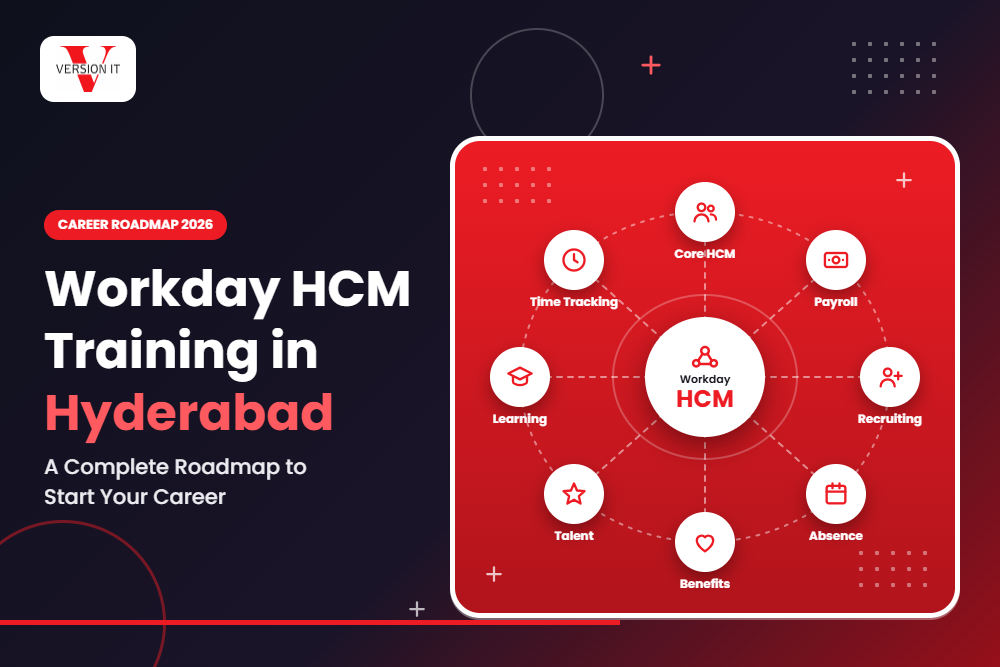
Once Core HCM feels comfortable, move into the modules that most companies use alongside it:
- Recruiting, from job requisitions to offers
- Absence management for leave plans and balances
- Time tracking for hours and schedules
- Compensation for salary plans, bonuses and merit cycles
- Benefits for plans, enrollment and life events
- Talent and performance for goals, reviews and development
- Learning, for companies that train employees through Workday
You do not need to master all of these on day one. Start with Core HCM plus two or three modules, then add more as you go. Many people begin with Recruiting and Absence because they are easy to visualize.
Stage 5: Security and Access
A system full of personal data needs careful access control. Workday handles this through security groups and domain-based permissions. Learn how to:
- Understand security groups and who belongs in each
- Give or remove access to specific data and tasks
- Test access by checking what a user can and cannot see
- Follow good practice so only the right people see sensitive data
It is a smaller topic, but employers ask about it often in interviews.
Stage 6: Reports, Calculated Fields and Dashboards
Leaders always want numbers: headcount, attrition, open positions, pay by department. Reporting is a major skill in Workday, and it is a strong entry point for a career. Cover:
- Standard reports and how to find them
- Custom reports built with the report writer
- Calculated fields, which let you create new values from existing data
- Advanced and matrix reports
- Dashboards and scheduled reports
If you enjoy logic and working with data, this is where you can really stand out.
Stage 7: Integrations and Data Loading
Workday does not work alone. It talks to payroll vendors, benefits providers, finance tools and more. Even a basic understanding helps:
- Loading data in bulk using Enterprise Interface Builder (EIB)
- What a Core Connector is and where it fits
- File formats, and the basics of how data moves in and out
- When a project needs a developer-level integration tool
You do not have to be an integration specialist, but knowing the vocabulary makes you far more useful in a project team.
Stage 8: Learn How a Real Project Runs
Training is one thing, and a live project is another. Understand how implementations happen:
- Requirement gathering and design workshops
- Configuration in a sandbox, then testing
- User acceptance testing and fixing issues
- Go-live, support and handling tickets
- Workday’s regular releases and how updates affect your setup
Knowing the lifecycle helps you answer scenario questions in interviews with confidence.
Stage 9: Practice with Realistic Scenarios
Knowledge becomes skill when you apply it. Try to work through scenarios such as:
- Hiring a new employee end to end, from requisition to day one
- Changing a manager and seeing how approvals update
- Setting up a leave plan with different rules for different groups
- Creating a headcount report by department and location
- Fixing a stuck business process
- Loading a batch of employee changes using EIB
Write down what you did and what went wrong. These notes become your talking points when someone asks, “Tell me about a time you solved a problem.”
Stage 10: Get Ready for Interviews
When the fundamentals are strong, prepare in a focused way:
- Revise Core HCM and business process questions
- Practice explaining a process out loud, step by step
- Prepare two or three scenarios you can describe in detail
- Learn common reporting and calculated field examples
- Know your resume well and be honest about what you have done hands-on
- Do mock interviews with a mentor if possible
Feedback from an experienced trainer, such as the mentors at Version IT, can speed up this stage a lot, because they know the questions real interviewers ask.
Choosing the Right Workday HCM Course
Self-study can work for very disciplined people, but Workday is not a free tool you can simply download and try. Access to a practice environment matters, and a good course solves that. When you compare a Workday HCM Training Institute in Hyderabad, ask a few simple questions:
- Is the syllabus current, and does it cover Core HCM, business processes, reports and security?
- Are the trainers working or experienced Workday professionals?
- Will you get hands-on practice, or only slides?
- Is there help with resumes, mock interviews and job guidance?
- Is there a flexible option, such as Workday HCM Online Training in Hyderabad, for people who work during the day?
Institutes like Version IT focus on practical, scenario-based learning, so students leave with real configuration experience and not just notes.
A Realistic Timeline
For a beginner studying regularly, here is a fair estimate:
- 1 to 2 weeks for HR basics
- 4 to 6 weeks for Core HCM and business processes
- 3 to 4 weeks for the other modules
- 2 to 3 weeks for security, reports and integrations
- 2 to 4 weeks for practice scenarios and interview preparation
That adds up to roughly three to four months of steady work. Job search time comes on top of that and varies from person to person, so be patient and keep applying.
Conclusion
A Workday HCM career does not happen overnight, but it is very reachable if you follow a clear order. Start with HR basics, learn Core HCM and business processes well, add a few modules, understand reports and security, and then practice real scenarios until you can explain them without notes. With good guidance from a trusted centre like Version IT and daily effort, you can turn this roadmap into a real career in Hyderabad’s growing technology and HR services market.
Frequently Asked Questions
- Is Workday HCM suitable for beginners?
Yes. You do not need coding to begin. If you understand basic HR processes and are willing to practice, you can learn the system step by step. Freshers, HR professionals and IT people moving into cloud ERP all start in a similar place. - Do I need an HR background to learn Workday HCM?
No. An HR background helps, but many learners come from IT, commerce and other fields. A short study of HR basics is enough to get you started. - How long does it take to learn Workday HCM?
According to estimates, most students will take approximately three to four months of working on modules and actually applying it in practical situations. How long it takes you to learn the modules depends on how much practice you had. - Which Workday HCM modules should I learn first?
Start with Core HCM and business processes, because everything else depends on them. After that, add Recruiting, Absence, Compensation or Reporting based on the jobs you want. - Is online training as good as classroom training?
True, if your chosen program includes live interactive classes, practical labs, and support from trainers. Select the format that matches your interests and make it a habit to practice.
Enquiry Form
Recent Posts
Workday HCM Training in Hyderabad: A Complete Roadmap to Start Your Career
Python Full Stack Developer Roadmap for Beginners
Azure Data Engineer Training in Hyderabad with Placement Support at Version IT

Advanced Cyber Security Training in Hyderabad for IT Professionals