
- Home
- Python Training in Hyderabad: A Project Portfolio Checklist for Fresher’s
Python Training in Hyderabad: A Project Portfolio Checklist for Fresher’s
- admin
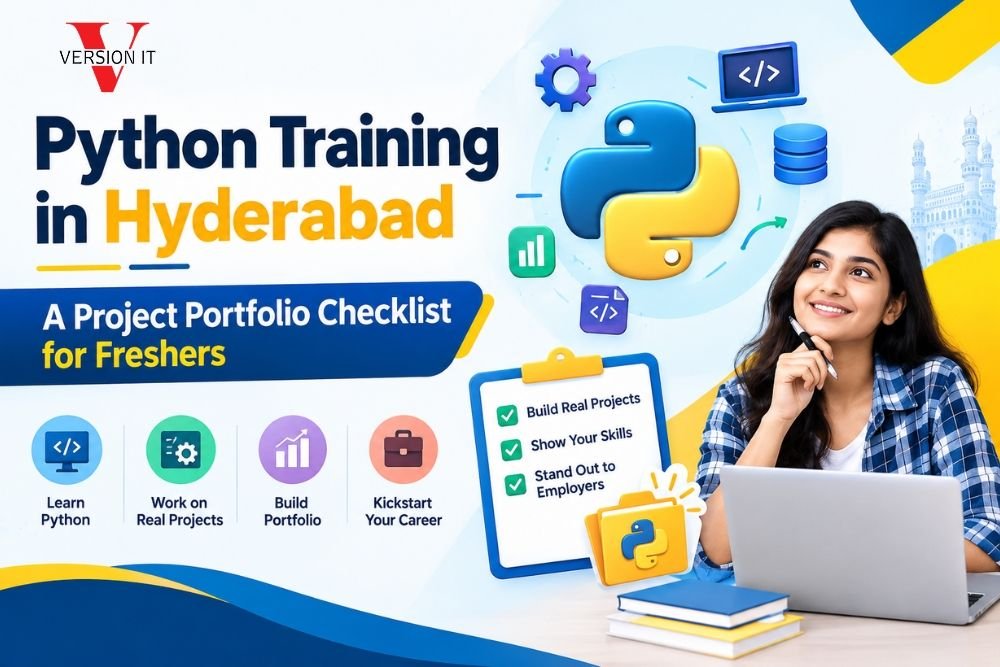
I have seen thousands of graduates in Hyderabad finish a course receive a certificate and begin looking for jobs. Most of the graduates hear the feedback: “Show us what you have built.”
A certificate says you were there. A project portfolio shows you can actually do the job. If you are a taking Python training in Hyderabad your portfolio can be more important, than your grades, your college or even the course you completed.
This checklist will help you build a profile that stands out. It’s based on what hiring managers look for when they review beginner profiles.
Why a Portfolio Is More Important Than You Realize
Hiring managers at tech companies, new businesses and service businesses, in Hyderabad’s technology areas often look at new graduate resumes each day. Most are the same list of skills same class names, same “eager to learn” description.
Portfolio breaks that pattern. Portfolio gives the interviewer something to talk about. Portfolio shows the way you think the way you solve problems and the way you handle real‑world details. I have seen learners, at Version IT who know syntax but struggle to explain their work. Portfolio fixes that because building something forces you to understand it.
The Checklist
1. Start with Core Python Projects
Before you start using frameworks or fancy tools I think you should make sure your basics are strong. Core Python Projects are a way to do that. Pick two or three projects that show loops, functions, file handling and error handling.
Good examples include:
- Expense tracker that keeps data in a file and shows summaries.
- Quiz application that scores answers and offers difficulty levels.
- Command-line contact manager that lets you search, edit and delete entries.
These may look simple. They show that you can take an idea and turn it into code from an idea. This can be done without copying anything line by line.
2. Add One Data-Focused Project
Python is very popular for data work and even a simple project can make you stand out. I think a simple project is a start. Please choose a dataset public data about weather, sports or city traffic. Clean the dataset analyze the dataset and share your findings from the analysis.
Use libraries such, as Pandas and Matplotlib. Focus on telling a story. Which question did I ask? What did the data say? What surprised you? A short written summary that explains your conclusions is worth, than ten charts that have no context.
3. Build a Small Web Application
I think employers enjoy seeing that you can build something that people can actually use. A simple application built with Flask or Django shows that you understand how a backend works, how data moves and how users interact with a system.
- A job application tracker where users record companies and interview steps
- A blog platform with user login
- library management system that lets users do book search and track loan records.
Keep the scope realistic. A small finished app is better, than a half-built one.
4. Include an Automation Script
Automation is a point of Python and companies appreciate people who save time. Build a script that solves an annoyance: rename files send reminder emails, scrape prices, from a website (responsibly) or tidy a messy downloads folder.
This type of project also gives you an interview story. I was tired of doing this so I wrote a script. That sentence makes interviewers lean in.
5. Show Version Control Habits
Put every project on GitHub. Hiring teams often check your commit history to learn how you work. When you make commits with messages it shows you are organized and consistent. A commit that says ” upload” gives the opposite impression.
Learn the basics: branches, commits, pull requests and merge conflicts. You don’t need to be an expert.. You should know how to use them confidently.
6. Write a README for Each Project
This is where most beginners lose points. A good README should explain:
- What the project does and why you built the project
- The tools and libraries you used in the project
- How to install and run the project
- Screenshots or a short demo of the project
- What you would improve next, in the project
7. Add Tests and Clean Code
You don’t have to create a testing system but a couple of tests using pytest or unit test show that you know what you’re doing. I keep to PEP 8 style guidelines because I know design matters. I always give names. Put short comments where the logic is not obvious. Clean code proves that clean code can work well with others.
8. Document Your Learning Journey
Write a blog post or a LinkedIn update about one or two projects. Describe a bug that took two days to resolve or a design choice you changed through. Honest reflection, on mistakes shows confidence, not weakness.
9. Deploy at One Project
Deploy at Least One Project with a live link is powerful. Hosting a project, on a platform so that anyone can open it in a browser shows initiative Deploy at One Project also teaches you about environment variables, dependencies and the small headaches that only appear when you are working outside your laptop.
10. Keep It Organized and Honest
I recommend that you keep your portfolio to four or five projects. Throw away any experiments that you have not finished. Be honest, about which parts of each project you built yourself and which parts you copied from a tutorial. Interviewers will ask questions and a real understanding will always show.
How to Use Your Training Wisely
The Python course is one that makes you build not just watch. When picking a program look for coding tasks, code reviews, mock interviews and mentors who give straight honest feedback. Training institutes, like Version IT focus on project-based learning. That way students walk away with projects they can show employers not just theory notes.
Whatever path one picks, treat every assignment, as a portfolio candidate. Ask oneself: “Could assignment be explained clearly in an interview?” If yes, polish. Publish assignment.
Final Thoughts
Getting your job in the tech field is not about knowing everything. It is, about showing you have the ability to learn, create and talk with others. A put-together portfolio does all three things at the same time.
Start small stay consistent and improve one project at a time. In a months you will have a body of work that speaks for itself and for fresher’s, in Hyderabad’s competitive job market that can make all the difference.
FAQ’s
1. How projects should a fresher include in a Python portfolio?
Four to six finished projects are enough. I recommend a mix: one or two core Python projects, one data‑analysis project, one web app and one automation script. Clear explanation matter far more, than the number of projects.
2. Can I use tutorial‑based projects in my portfolio?
Yes, Be honest, about it. If you used tutorial‑based projects add your features change the design or solve a different problem with the same concept. I think interviewers care a lot about whether interviewers understand the code. Interviewers should be ready to explain every part of the code.
3. Do I have to learn Django or Flask if I want a Python job, as a fresher?
Not always, Knowing one of them helps. It shows you understand how backend applications work. If you are more interested in data roles strong skills, in Pandas, SQL and data visualization can carry weight.
4. How long does it take to build a job- Python portfolio?
I see that most beginners need three to six months of practice. I recommend spending the few weeks learning the basics then creating one new project every three to four weeks while revising earlier projects based on feedback.
5. How does Version IT help students build portfolio projects?
I see that Version IT follows a project‑based approach where learners work on hands‑on assignments receive trainer feedback and prepare for interviews. The goal is for students to finish with work that students can confidently explain to employers.
Enquiry Form
Recent Posts
Python Training in Hyderabad: A Project Portfolio Checklist for Fresher’s


Python Full Stack vs Cyber Security: Which Career Path Is Better?