
- Home
- Top 5 Essential Snowflake Tools and Features Every Beginner Should Learn
Top 5 Essential Snowflake Tools and Features Every Beginner Should Learn
- admin
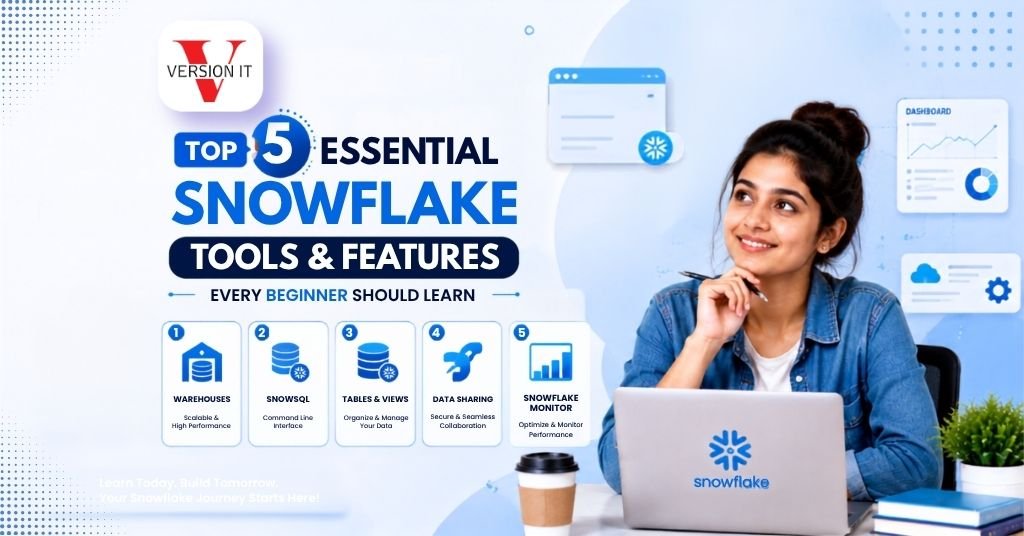
Snowflake has emerged as a significant platform to organizations requiring scalable cloud data warehousing, analytics, data sharing and data engineering solutions. To those starting to learn Snowflake, it is not only how to write SQL queries. It is also learning how Snowflake handles the compute resources, data storage, information loading, access control, as well as collaboration among the teams.
Snowflake Training In Bangalore can assist learners to realize these notions with the help of systematic lessons and practice. In Version IT, learners get to learn about the key features of Snowflake and develop a background in cloud data platforms, SQL, data loading, performance management and data sharing.
The right tools and features can make Snowflake easier to learn to students, freshers, data professionals, and working professionals. These five areas in particular are particularly effective when it comes to an amateur trying to learn practical Snowflake skills.
1. Virtual Warehouses are designed to manage compute resources
One of the key Snowflake features that beginners should know is virtual warehouses. In Snowflake, compute and storage are separated. This implies that data can be left in storage on its own as various virtual warehouses execute queries, loading, transformations and other processing operations.
A virtual warehouse is simply a pool of computer resources utilized to perform SQL queries and data manipulations.
Students on a Snowflake Course In Bangalore can learn how to:
- Create virtual warehouses
- Start and stop warehouses
- Resize warehouses
- Configure auto-suspend
- Configure auto-resume
- Assign warehouses to workloads
- Monitor warehouse usage
This compute and storage division provides organizations with flexibility in managing various workloads.
As an illustration, a warehouse can be employed to report and another one to carry out data engineering. The workloads do not have to be mutually dependent; therefore, one does not necessarily have to disrupt the other.
Auto-suspend is another useful feature. When a warehouse is idle, it can be set to automatically stop. It has auto-resume to restart on the arrival of a new query.
To start with, learning of virtual warehouses offers beginners a baseline to learning how Snowflake manages performance, scale and resources.
By offering Snowflake Training In Bangalore, students will be able to train on how to create and manage warehouses and see how various settings impact query performance and workload.
2. Snowflake SQL and Query Data using Worksheets
SQL will continue to be one of the basic skills to deal with Snowflake. Users use SQL to build databases, define tables, load data, transform information, and retrieve records, administer permissions, and make analytical queries.
Snowflake offers web-based interfaces in which users may operate and manipulate SQL workbooks and provide commands to databases and warehouses.
Some typical SQL operations a novice can do with a Snowflake Online Course In Bangalore can include:
- Creating databases
- Creating schemas
- Creating tables
- Inserting records
- Filtering information
- Joining tables
- Grouping results
- Using aggregate functions
- Creating views
- Updating data
- Managing objects
To illustrate this, a learner who has sales data can build some database of customer, product and transaction tables. Monthly revenue, popular products, or inter-regional sales can then be computed using SQL queries.
Snowflake also offers numerous advanced SQL features, although novices must initially master the fundamentals of query operations.
Working with worksheets is also helpful as learners can directly execute queries, review results, detect errors, and alter commands.
The learners of Version IT studying Snowflake Training In Bangalore will have an opportunity to train SQL and Snowflake-specific concepts. This will enable the learners to not only learn the SQL syntax but how SQL communicates with Snowflake databases, schema, warehouses, and security structures.
3. Data loading utilities, phases and COPY statements
The majority of Snowflake projects are loaded with data that is external. Novices should thus learn the Snowflake way of managing files and data ingestion.
Snowflake provides stages where files can be ready to be loaded.
Stages can either be internal or external. All the stages are handled internally in Snowflake and externally can be linked with cloud storage services when the environment is configured accordingly.
An organized Snowflake Online Training In Bangalore course can present learners with the concepts of:
- Internal stages
- External stages
- File formats
- CSV files
- JSON data
- Parquet files
- COPY INTO commands
- Data validation
- Loading errors
COPY INTO is a typical command that is used to insert data in Snowflake tables via staged files.
To illustrate, an organization can be given sales files on a daily basis (CSV format). These files can be processed and loaded as a Snowflake table with the right file format and COPY command.
Novices must also be taught to determine whether a load was successful or not and to determine rejected or poorly formatted records.
The ability to load data is especially critical as the Snowflake real-life experience often requires a mixture of applications, databases, files, or cloud services.
Stages and loading operations allow the learners to learn how raw data flows into Snowflake, and it is available to analytics and reporting.
4. Time Travel, Zero-Copy Cloning and Data Recovery Features
Snowflake also has a number of features that ease the data management and development process. Two concepts that can be of great help to novices are Time Travel and Zero-Copy Cloning.
Time Travel enables users to use historical data of the existing retention period.
This may be useful in case of accidental data modification or deletion. Depending on configuration and edition, users can query or recover previous states of the data.
To illustrate this, in case a table has been incorrectly updated, Time Travel can enable the user to review a previous version.
Time Travel can be used to:
- Examining past data conditions.
- Recovering accidentally changed data
- Comparing historical information
- Helping with development and testing.
Zero-Copy Cloning enables Snowflake users to make copies of databases, schemas or tables without having to first copy all of the underlying stored data.
This is applicable in development, testing and experimentation.
A student taking a Snowflake Course In Bangalore can make a copying table and then carry out transformations. This provides them with an independent testing environment to make changes without having to change the original object.
These capabilities show that Snowflake enables dynamic data processes.
Novices are still expected to know that the availability of data, storage habits, and feature access can be configured to the account setting and Snowflake tier. Doing practical exercises may assist learners in visualizing the behavior of these features under various circumstances.
5. Role-Based Access Control and Secure Data Sharing
Cloud data management involves data security and controlled access. Snowflake offers the ability to control access to data and what actions can be performed by various users.
RBAC, or Role-Based Access Control, is a significant aspect that is worth studying.
Instead of individually granting permissions to each user, permissions can be granted to roles. Roles are then allocated to the users depending on their roles.
Common Snowflake objects in need of permissions can be:
- Warehouses
- Databases
- Schemas
- Tables
- Views
- Stages
As an example, an analyst can be given access to query reporting tabular data, but not permission to alter production data.
Roles and privileges of learning give beginners insight into how organizations can decouple responsibilities and restrict unneeded access.
Snowflake also enables secure sharing of data whereby authorized data can be shared without the need to have the traditional file copies in some sharing situations.
This has the capability of aiding collaboration across the departments, business units, customers or other organizations depending on how sharing is set up.
With Snowflake Training In Bangalore, students are able to practice role creation, granting, assignment of access and learn how permissions flow over Snowflake environments.
These skills are useful to beginners since security is not an activity that is added on completion of a project. It belongs to the process of database and cloud data platform design and management.
At Version IT, students that have studied Snowflake Online Training In Bangalore will be able to devote their time to gaining hands-on experience with virtual warehouses, SQL, data loading, Time Travel, cloning, security, and data sharing. Knowledge about these five areas can serve as a good basis to begin before moving on to more complex topics like Snowpipe, streams, tasks, data pipelines, performance tuning, and integrating with cloud ecosystems.
Conceptual learning, which involves conceptual knowledge and practical application is the best way of learning. Building the warehouses, loading sample files, querying SQL, cloning tables, and setting permissions can assist novices to associate Snowflake concepts and the real-life cloud data processes.
FAQ’s
1. What are the basics that beginners should know in Snowflake?
Novices are to begin with Snowflake architecture, virtual warehouses, databases, schemas, tables, SQL, data loading and simple security concepts. Snowflake Training In Bangalore can assist learners to learn these areas one by one in a systematic order proceeding to more sophisticated features like streams, tasks, Snowpipe as well as optimization.
2. Does a Snowflake Course In Bangalore need SQL?
Yes, SQL is a valuable skill to work with Snowflake since it is used to create objects, query data, transform information, and execute numerous operations in the platform. A Snowflake Course In Bangalore can include SQL basics (as a beginner course) and Snowflake-specific commands and exercises.
3. What is a virtual warehouse in Snowflake?
A virtual warehouse is a collection of computing resources to run queries, load data, and other processing activities. It is independent of data storage. Students are able to create and resize warehouses, suspend and resume warehouses according to the workload demands.
4. Will I be able to train Snowflake online?
Yes. Snowflake Online Training In Bangalore or Snowflake Online Course In Bangalore may offer remote access to live lectures, hands-on activities, SQL practice, data-loading activities, and demonstrations of the Snowflake platform. Before selecting a program, learners are advised to make comparisons regarding the curriculum depth, access to laboratories, project work, and instructor support.
5. What is the difference between Time Travel and Zero-Copy Cloning in Snowflake?
Time Travel enables users to view historical versions of data in the relevant retention period, whereas Zero-Copy Cloning generates a copy of a Snowflake object without necessarily duplicating all underlying data initially. The two features have the potential of supporting development, testing, recovery, and data-management workflows.
Enquiry Form
Recent Posts

Azure Data Engineer Skills Projects And Career Growth

Why Agentic AI Is Becoming the Next Big Step in Artificial Intelligence

Top Cybersecurity Career Opportunities for Freshers in Hyderabad

How to Learn Python Full Stack Development Step by Step